Best ChatGPT Alternative Image Edit AI Tools in 2026
 Picrevamp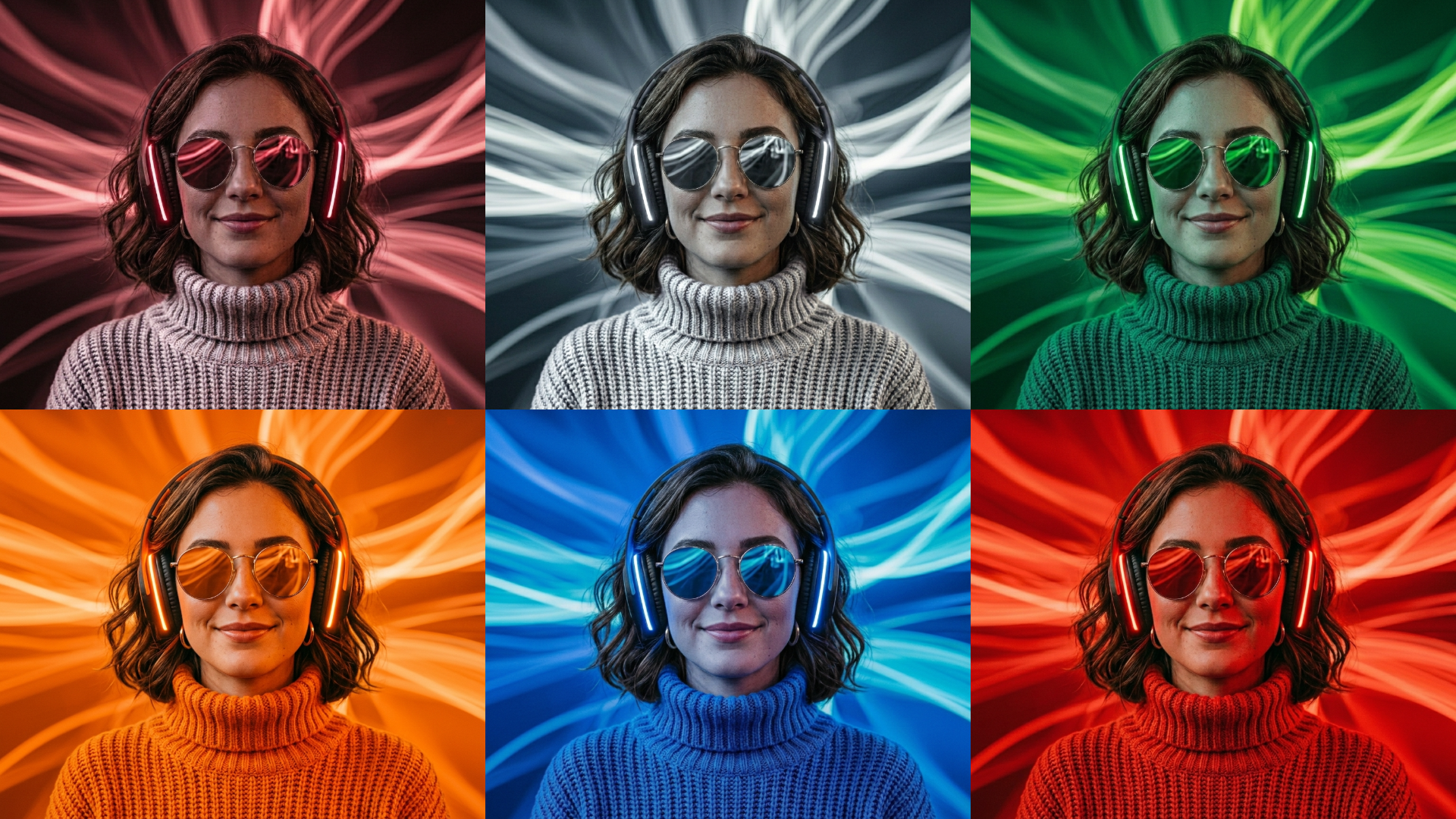
Find the best AI image editing tools for your needs.
ChatGPT Alternative Image Edit AI: Best Tools for Image Editing in 2026
Introduction
ChatGPT is good for creating images and making simple edits. You can upload a photo, select a part of it, and describe the changes you want.
But ChatGPT isn’t always the best option for every editing job.
Some people want fewer limits. Others need more control over small details in a photo. Many look for things like social media templates, product photo tools, upscaling, or easier workflows. For example, e-commerce owners may want to quickly remove backgrounds and make product photos look the same across many images. Social media managers often need tools to turn edited photos into Instagram posts with text and brand colors. Content creators may want simple ways to swap objects or fix mistakes before posting. On Reddit, users say they like ChatGPT’s quality but get frustrated when edits are blocked, inconsistent, or take too many tries.
This guide reviews the best AI image editing alternatives for 2026, explains who each tool is best for, and helps you choose the right one without wasting time testing them all.
Quick Answer
The best ChatGPT alternative for editing images depends on your specific needs:
Best overall conversational image editing | Google Gemini with Nano Banana 2 |
Best professional editing workflow | Adobe Firefly and Photoshop |
Best for social media graphics | Canva |
Best quick browser editor | Pixlr |
Best all-in-one creative suite | PicRevamp |
Best for object removal and casual edits | Picsart or Fotor |
Best for advanced image-to-image workflows | FLUX.1 Kontext |
Best for AI image and video editing together | Runway |
Best for creative control and region edits | Krea |
No single tool does everything best. The right choice is the one that matches what you need to edit.
Here’s a quick guide to help you match common tasks with the best tool for each job:
- Instagram or social media posts: Canva or PicRevamp
- Product photo edits and cleanup: Adobe Firefly, Fotor, or Pixlr
- Quick background removal: Pixlr or Fotor
- Polished, professional design: Adobe Firefly or Photoshop
- Multi-step creative edits using conversation: Gemini
- Batch edits and templates: Canva or PicRevamp
- Mobile-first editing: Picsart
- Advanced, detailed edits: FLUX.1 Kontext or Krea
- Combining images and video: Runway
Choose the tool that fits your main task to get the best results.
What People Mean by “ChatGPT Alternative Image Edit AI”
Most people searching for this want more than a regular photo editor.
They want an AI tool that can:
- Upload an existing image.
- Change part of the image with a text prompt.
- Remove or replace objects.
- Change backgrounds
- Keep the main subject consistent.
- Improve product photos
- Make social media graphics.
- Edit again without starting over.
People searching for this are usually comparing tools and planning to try one soon.
A helpful answer does more than just list tools. It explains which tool is best for each job.
Why Look Beyond ChatGPT for AI Image Editing?
ChatGPT remains one of the top general AI tools for creating and editing images.
Still, it’s a good idea to look at other options.
You Need More Precise Local Edits
AI image editors can struggle with small, precise tasks. Many tools still have trouble keeping the original look and making only the changes you want.
So, the best tool isn’t always the one that makes the prettiest image. It’s the one that changes only what you want.
You Want a Different Creative Workflow
ChatGPT uses a chat-style approach, which works well for some tasks. But some creators need features like layers, templates, masks, resizing, brand kits, product layouts, or batch exports.
That’s when tools like Canva, Adobe Firefly, Pixlr, or PicRevamp might be a better fit.
You Want Fewer Workflow Interruptions
Some users say they hit content limits, have to redo edits, or spend too much time on small changes.
A dedicated image editor can be faster for everyday tasks like removing clutter, changing backgrounds, or preparing product photos.
Best ChatGPT Alternative Image Editing AI Tools in 2026
1. Google Gemini with Nano Banana 2
Google’s Nano Banana 2 is a top ChatGPT alternative for AI image editing in 2026. It creates high-quality images and can edit photos into new versions with easy instructions.
Best for:
- Conversational image editing
- Multi-step creative edits
- Text inside images
- Fast visual revisions
- Users already in Google’s ecosystem
Where it works well:
Gemini works well if you want to upload an image and describe changes in plain language.
Watch out for:
Remember that features and access may vary based on your region or account.
2. Adobe Firefly and Photoshop
Adobe Firefly is one of the best options for creators who want AI editing with more design control. It includes tools such as Generative Fill, background replacement, recoloring, and quick-edit actions.
Best for:
- Designers
- Brand teams
- Professional photo editing
- High-quality creative work
Where it works well:
Adobe is strong when the final image needs to look polished and professional.
Watch out for:
It might feel complicated if you only need quick edits. But Adobe provides many tutorials, guides, and in-app tips to help new users get started and learn important features.
3. Canva
Canva is a strong choice when your AI image-editing needs turn into a finished design.
Best for:
- Social media posts
- Ads
- Thumbnails
- Presentations
- Marketing graphics
Where it works well:
Canva lets you turn edited images into finished designs with text, layouts, and templates.
Watch out for. It’s not the best choice for advanced photo retouching.ng.
4. PicRevamp
PicRevamp is useful if you want multiple creative tools in one place.
Best for:
- Social media visuals
- AI image generation
- Headshots
- Colorizing old photos
- Upscaling
- Templates
Where it works well, it helps you manage images, videos, and creative assets all in one place.
Watch out for:
Always check the output quality for your needs. PicRevamp has a free trial, so you can try its features before upgrading. Other tools may also have free plans or demo modes.
5. Pixlr
Pixlr is a browser-based editor for quick edits.
Best for:
- Fast online edits
- Background removal
- Simple editing tasks
Where it works well:
It’s great for quick fixes and doesn’t require installing any software.
Watch out for:
It’s more limited than professional tools.
6. Picsart
Picsart is a popular AI photo editor for creators.
Best for:
- Mobile editing
- Object removal
- Background changes
- Creative effects
Where it works well:
It’s good for fast, simple edits.
Watch out for:
Some results might look too stylized.
7. Fotor
Fotor is an easy tool for basic edits.
Best for:
- Background removal
- Object removal
- Quick cleanup
Where it works well:
It’s perfect for simple tasks like removing unwanted objects.
Watch out for:
It’s not the best choice for complex creative edits.
8. FLUX.1 Kontext
FLUX.1 Kontext is best for advanced users who want more control over image editing.
Best for:
- Advanced editing
- Image-to-image changes
- Consistent results across edits
Where it works well:
It’s useful when you need detailed control over your edits.
Watch out for:
It’s not very beginner-friendly.
9. Krea
Krea is a creative AI tool for editing and making visuals.
Best for:
- Designers
- Creative edits
- Region-based changes
Where it works well:
It lets you edit specific parts of an image without changing the rest.
Watch out for:
It might be more than you need for simple edits.
10. Runway
Runway is ideal if you work with both images and videos.
Best for:
- Video creators
- Product visuals
- Creative projects
Where it works well:
It’s great for combining image editing with video creation.
Watch out for:
It’s too advanced for basic editing needs.
Full Comparison Table
Tool | Best for | Main strengths | Best user type |
ChatGPT | Conversational edits | Easy prompts, image upload, selection edits | General users |
Gemini Nano Banana 2 | ChatGPT-style alternative | Fast conversational image generation and edits | Google users, creators |
Adobe Firefly | Professional design edits | Generative Fill, editing tools, polished results | Designers, teams |
Canva | Social graphics | Templates, layouts, easy editing | Marketers, creators |
PicRevamp | All-in-one creative work | Images, video, templates, upscaling | Creators, small teams |
Pixlr | Quick browser edits | Simple editing, background removal | Beginners, casual editors |
Picsart | Mobile creator edits | Effects, object removal, background tools | Social creators |
Fotor | Simple cleanup | Object removal, background removal | Casual users |
FLUX.1 Kontext | Advanced editing | Detailed control, consistent edits | Advanced users |
Krea | Creative region edits | Selective editing, generation | Designers |
Runway | Image plus video | Video + image editing tools | Video creators |
How to Choose the Right AI Image Editor
Choose ChatGPT if You Want Simple Conversations
Use it for:
- Concept images
- Simple edits
- Quick ideas
Choose Gemini if You Want a Close ChatGPT Alternative
Use it for:
- Multi-step edits
- Creative experiments
Choose Adobe if Final Quality Matters Most
Use it for:
- Professional design
- Ads
- Product visuals
Choose Canva if the Image Becomes a Design
Use it for:
- Social posts
- Thumbnails
- Marketing graphics
Choose PicRevamp if You Want a Simple Creative Hub
Use it for:
- Social content
- Headshots
- Creative assets
Choose FLUX.1 Kontext if You Want More Control
Use it for:
- Advanced edits
- Consistent results
Practical AI Image Editing Examples
Example 1: Product Photo Cleanup
Prompt:
“Remove the background, keep the product edges sharp, place it on a clean light-gray studio background, and keep the original product color unchanged.”
Example 2: Social Media Graphic
Prompt:
“Turn this image into a square Instagram post with a soft gradient background and clean layout.”
Example 3: Local Object Replacement
Prompt:
“Replace only the red chair with a modern black office chair. Keep everything else the same.”
Example 4: Old Photo Restoration
Prompt:
“Improve sharpness, repair scratches, and colorize naturally.”
Example 5: Product Reshoot
Prompt:
“Place this product on a marble surface with soft lighting.”
Tips for Better AI Image Edits
1. Tell the Tool What Must Stay the Same
Always mention what should not change.
2. Use Small Edits
Break edits into steps rather than a single big request.
3. Be Specific
Avoid vague words. Use clear instructions.
4. Check Details
Always review faces, text, and small elements.
5. Save Versions
Keep multiple versions of your edits.
6. Use the Right Image Size
Make sure your images match the recommended size for each social platform. For example, Instagram posts work best at 1080 x 1080 pixels, Facebook covers need 820 x 312 pixels, and LinkedIn banners use 1584 x 396 pixels. Using the right size prevents cropping and keeps images sharp.
7. Add Consistent Branding
Include your logo, brand colors, or fonts to help people recognize your content across different platforms. Save post templates to speed up this process, and use the built-in tools in Canva or PicRevamp for brand kits.
8. Optimize for Mobile Viewing
Most users will see your images on phones. Choose layouts that look good on small screens. Avoid tiny text and overly detailed graphics. Test your image on your phone before posting.
9. Keep File Sizes Small
Large image files can slow down loading times, especially on mobile devices. Use compressed exports or formats like JPEG for photos and PNG for graphics with transparent backgrounds.
10. Test and Preview Before Posting
Preview how your edited image will look on each social media platform. This helps you catch issues with cropping, text cut-off, or color changes caused by platform compression.
Common Mistakes to Avoid
Mistake 1: Expecting Perfect Results
AI is improving, but not perfectly.
Mistake 2: Using the Wrong Tool
Choose tools based on your task.
Mistake 3: Ignoring Licenses
Check usage rules before using images commercially.
Mistake 4: Editing Without Permission
Only edit images you have the right to use.
Mistake 5: Skipping Final Review
Always review before publishing.
FAQ
What is the best ChatGPT alternative image-editing AI tool?
It depends on your needs. Gemini is great for conversational editing, Adobe for professional work, Canva for social graphics, and PicRevamp for all-in-one use.
Can ChatGPT edit existing images?
Yes, you can upload and edit images using simple instructions.
Is Gemini better than ChatGPT?
It can be better for some editing tasks, especially for creative workflows.
Which tool is best for product photos?
Adobe, Canva, Fotor, and PicRevamp are good options.
Which tool is best for background removal?
Pixlr, Fotor, Canva, and Adobe work well.
Is there a free option?
Many tools offer free versions with limits. Here’s a quick look at what’s included in the free plans of the top options:
- Gemini: Free plan includes limited monthly image edits and basic features, but advanced options may require a subscription.
- Adobe Firefly: Free access to basic AI editing features with watermarked exports and limited daily edits. Some premium tools are only in paid plans.
- Canva: Free users get access to a wide variety of templates, basic AI photo edits, and export options, but advanced elements and brand kits are part of a paid plan.
- PicRevamp: The free version lets you generate and edit a limited number of images per month and try most core tools, with a watermark on some exports.
- Pixlr: Free plan allows for quick online edits and access to main editing tools, with ads and standard export quality.
- Fotor: Basic editing, limited background and object removal, some templates, and lower priority on processing in the free tier.
- Picsart: Free plan includes simple edits, object removal, filters, and collage features, but limits daily usage and applies watermarks to certain outputs.
- Krea, FLUX.1, and Runway: Free versions typically offer limited usage and basic export options, with more advanced controls or higher-quality exports in paid tiers.
This makes it easy to try each tool before deciding if you need more features.
What is best for social media?
Canva is usually the best choice.
Why does AI change unwanted parts?
Because it sometimes regenerates more than needed.
Can I use AI images commercially?
Check each tool’s terms before using images commercially. The best ChatGPT alternative for image editing depends on what you need. Pick Gemini for conversational editing, Adobe for professional work, Canva for designs, and PicRevamp for an all-in-one solution.
Start by thinking about your goal, then choose the tool that fits.
Try a few tools on the same image and compare the results.
PicRevamp is a good option if you want multiple creative tools in one place.